A SIUX app for macOS
Your Mac’s vital signs, always in the menu bar.
CPU, memory, GPU, disk, network, battery and temperature, one click away in the menu bar. Pulse groups every process under the app it belongs to, remembers 30 days, and tells you when something needs a look.
$5 Launch price for the first 100 orders, then $19.
Apps, not processes
Activity Monitor lists every process on its own, so one browser turns into dozens of helper rows. Pulse groups each process under the app it belongs to and adds them up, so you see who is really using your Mac.
What Activity Monitor doesn’t do
Activity Monitor ships with every Mac and is great for a one-off look. Pulse is built for keeping an eye on things all day.
Forgot a dev server running?
Pulse lists every server listening on a port, grouped by the project folder it started from. It flags the ones nobody has touched for half an hour, and stops them for you after asking.
Every app, measured
The Pulse window lists every app with its CPU, memory, energy and disk writes, helpers included. Sort by any column, then quit, force quit or show the app in Finder. The sidebar keeps 30 days of history for every metric.
See it on your Mac
Screenshots of Pulse itself: the window and the panel, as they look on macOS.
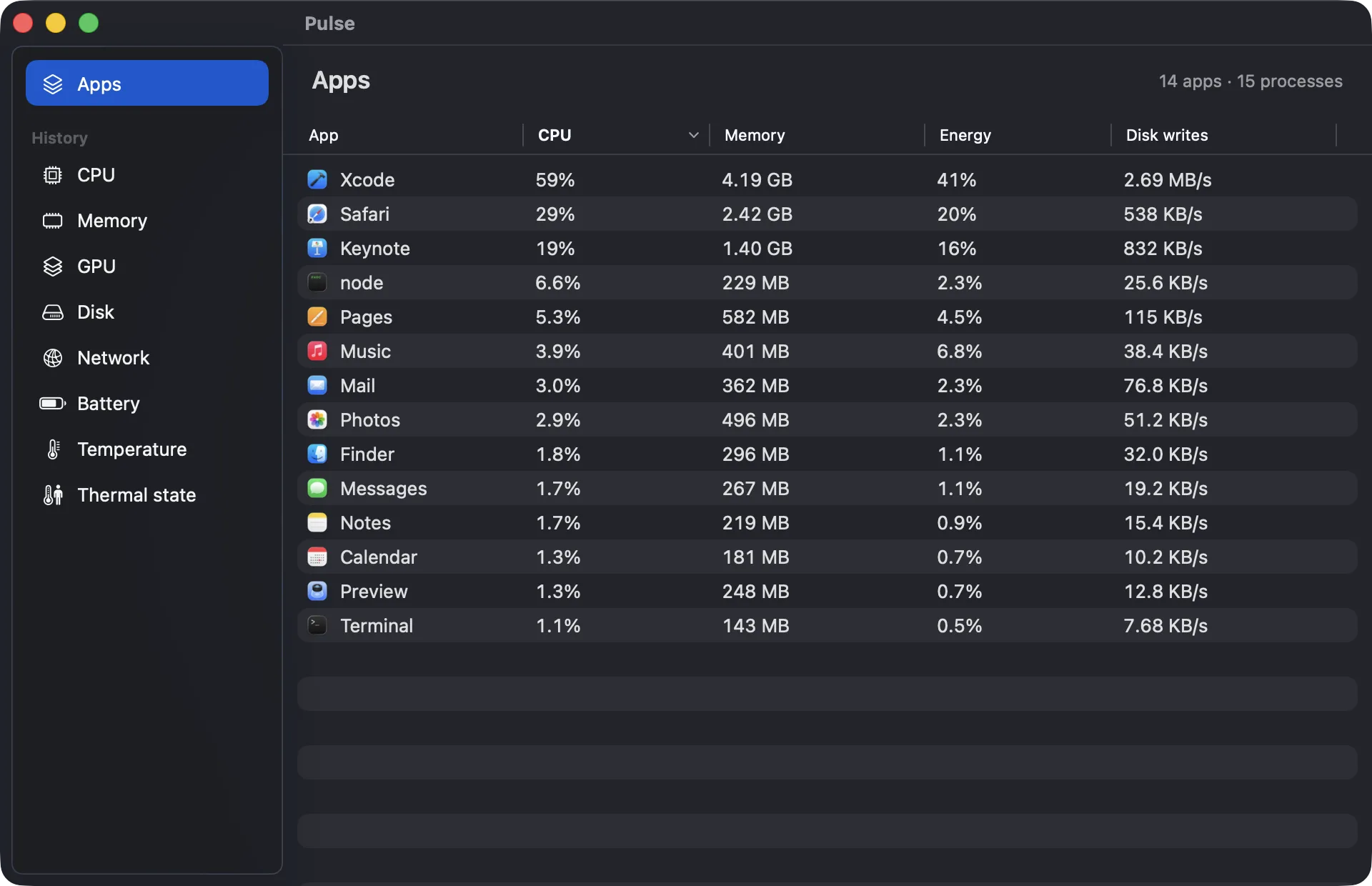
Every app with its CPU, memory, energy and disk writes. 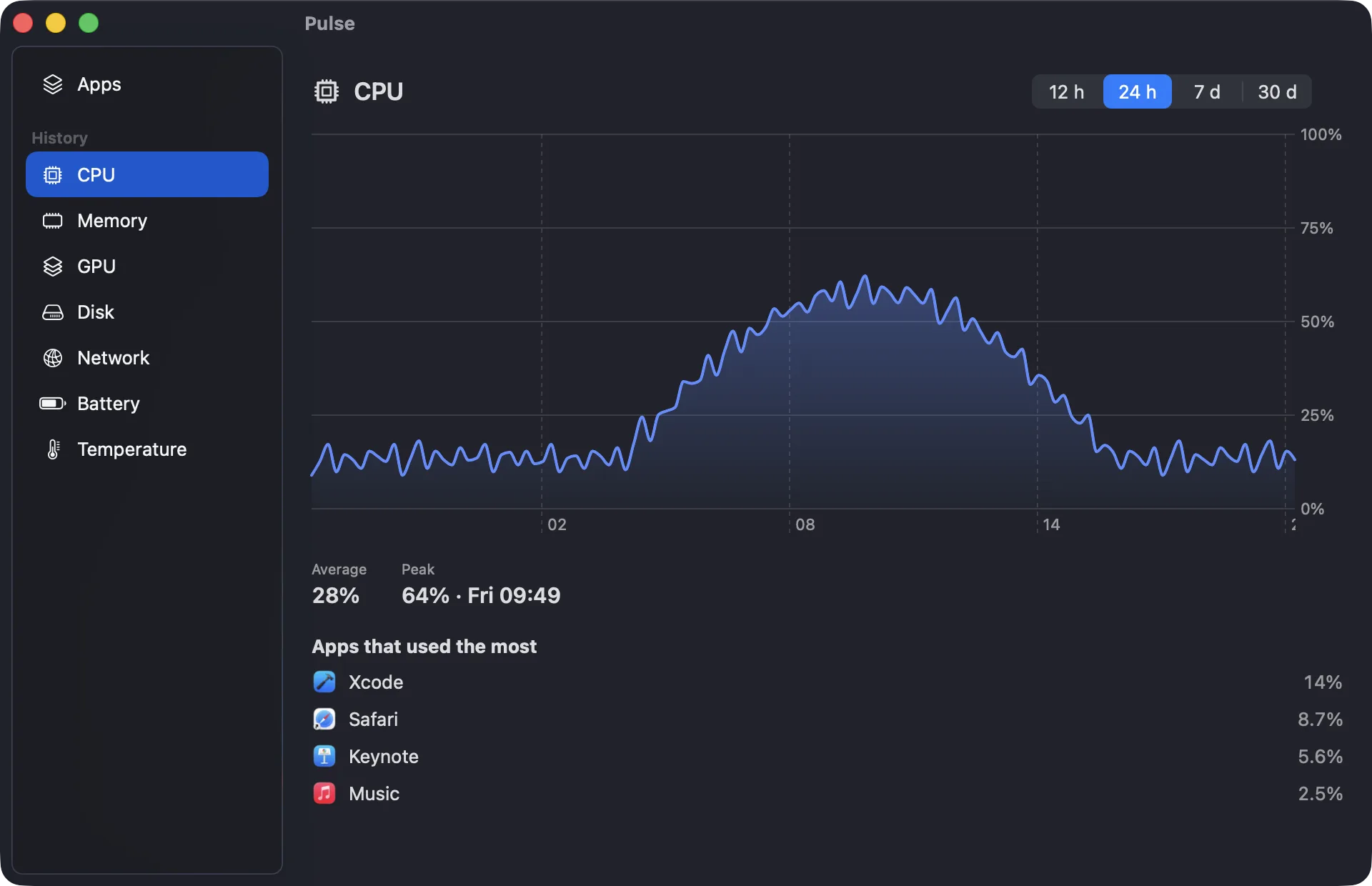
30 days of history, with the apps behind each peak.
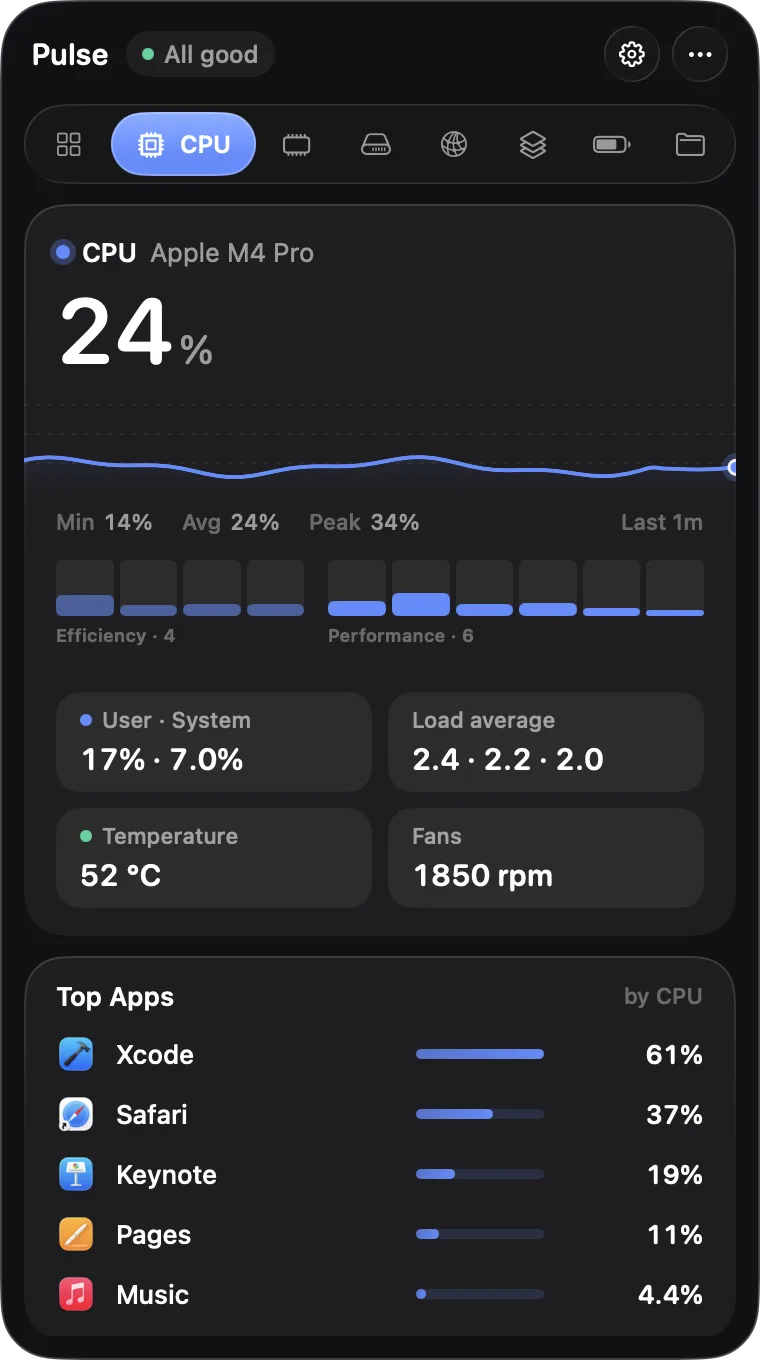
The panel, one click from the menu bar. 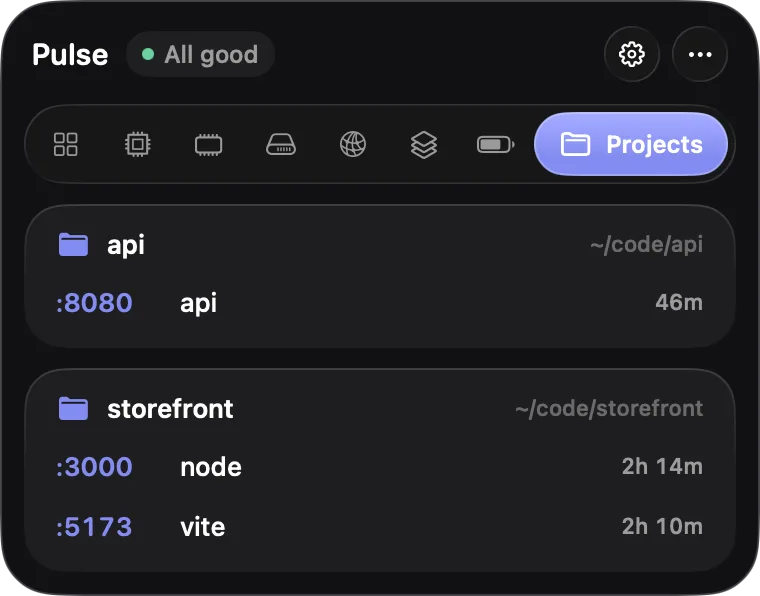
Dev servers, grouped by project.
Also included
Alerts you can act on
Long CPU spikes, rising memory pressure, a low battery or an idle dev server, with Quit and Snooze built in.
Temperature and fans
The chip’s hottest sensor, the SSD and the battery, and how fast each fan spins, or that it is off.
30 days of history
Chart any metric over 12 hours, a day, a week or a month, with its peak and the apps behind it.
Quit without surprises
Quit or force quit from any list. Pulse asks first and never offers to quit what macOS needs.
Speed test
Download, upload, latency and responsiveness from Apple’s own servers, run only when you ask.
Every core
One bar per CPU core, grouped into efficiency and performance cores, so one busy core stands out.
Battery in detail
Health, charge cycles, the watts your Mac draws, the adapter’s wattage and the time left on a charge.
Memory pressure
Normal, warning or critical, as macOS sees it, and what memory holds, from apps to compressed and cache.
An icon that warns you
Turn it on and the menu bar icon goes orange while your Mac is under strain, with no click needed.
And also: data sent and received this session, your local and public IP addresses, Wi-Fi signal, channel and standard, the battery of your Bluetooth mouse, keyboard and AirPods, with a warning when it runs low, a global shortcut to open Pulse from any app, live disk reads and writes, GPU use per app and GPU memory, load average and user and system CPU, a refresh every 1, 2 or 5 seconds, open at login, a right-click menu on the icon, and ⌘, for Settings.
What you run stays on your Mac
No account
Nothing to sign up for or sign in to.
No analytics
Pulse doesn’t track how you use it.
No calls home
Pulse makes no network requests on its own. The speed test and the public IP lookup run only when you ask.
About 0.5% of one CPU core with the panel closed, measured on an M1 Pro, and under 40 MB of memory.
Read the full privacy policyPricing
$5 during the launch, $19 after it. You pay once and get lifetime updates.
Pulse for Mac
One payment, no subscription
$5$19
One-time, for one Mac
Launch price for the first 100 orders
- Every feature, and lifetime updates
- One license per Mac, packs cost less per Mac
- Full refund within 14 days, no questions asked
macOS 14 or later. Built and tested on Apple silicon. In English and Spanish.
Questions
The app
Which Macs does Pulse run on?
Any Mac with macOS 14 Sonoma or later. We build and test it on Apple silicon; temperatures and per-app GPU use rely on Apple silicon sensors.
Does Pulse slow my Mac down?
No. With the panel closed it uses about 0.5% of one CPU core and under 40 MB of memory, measured on an M1 Pro.
Why isn’t it on the Mac App Store?
The App Store sandbox doesn’t let an app read other apps’ processes, temperatures or listening ports, which is most of what Pulse does. It is signed and notarized by Apple instead.
Buying
Is it a subscription?
No. You pay once and the license is yours, with lifetime updates included.
How do licenses work?
Each license covers one Mac. Packs of 2, 5 and 10 cost less per Mac, for a family or a team, and launch prices apply to every pack.
What if it isn’t for me?
Email us within 14 days of buying and we refund you in full. No questions asked.
Privacy and safety
What does Pulse send over the internet?
Nothing on its own. The speed test uses Apple’s networkQuality servers, the same ones macOS uses, and Show public IPv4 asks Cloudflare which address you reach the internet from. Both run only when you click them.
Why would Pulse ask for Location?
Only to show your Wi-Fi network’s name, which macOS treats as location data, and only if you click Show name. Pulse never reads or stores where you are.
Can it quit something important by mistake?
No. Quitting always asks first, and Pulse never offers to quit the system processes macOS needs to run.
Get Pulse for $5 while the launch price lasts.
One payment, lifetime updates, 14-day refund.