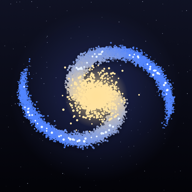
 A physics sandbox
A universe
made of grains.
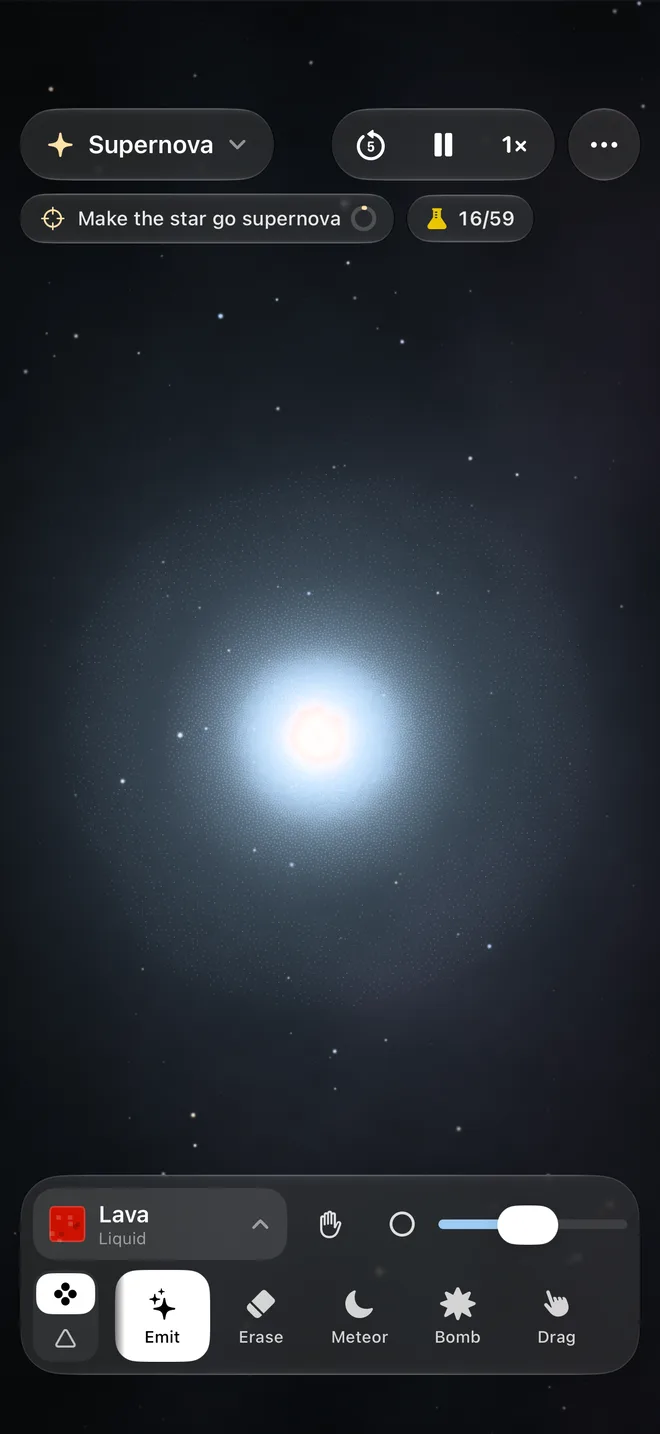
Pour lava, light stars and feed black holes. Every grain has a material and a temperature, so water boils on lava, sand melts into glass and a star burns its hydrogen until it blows itself apart.
Coming soon to the App Store, free to try. iPhone and iPad with iOS 26 and an A14 chip or later, Mac with macOS 26 and Apple silicon.
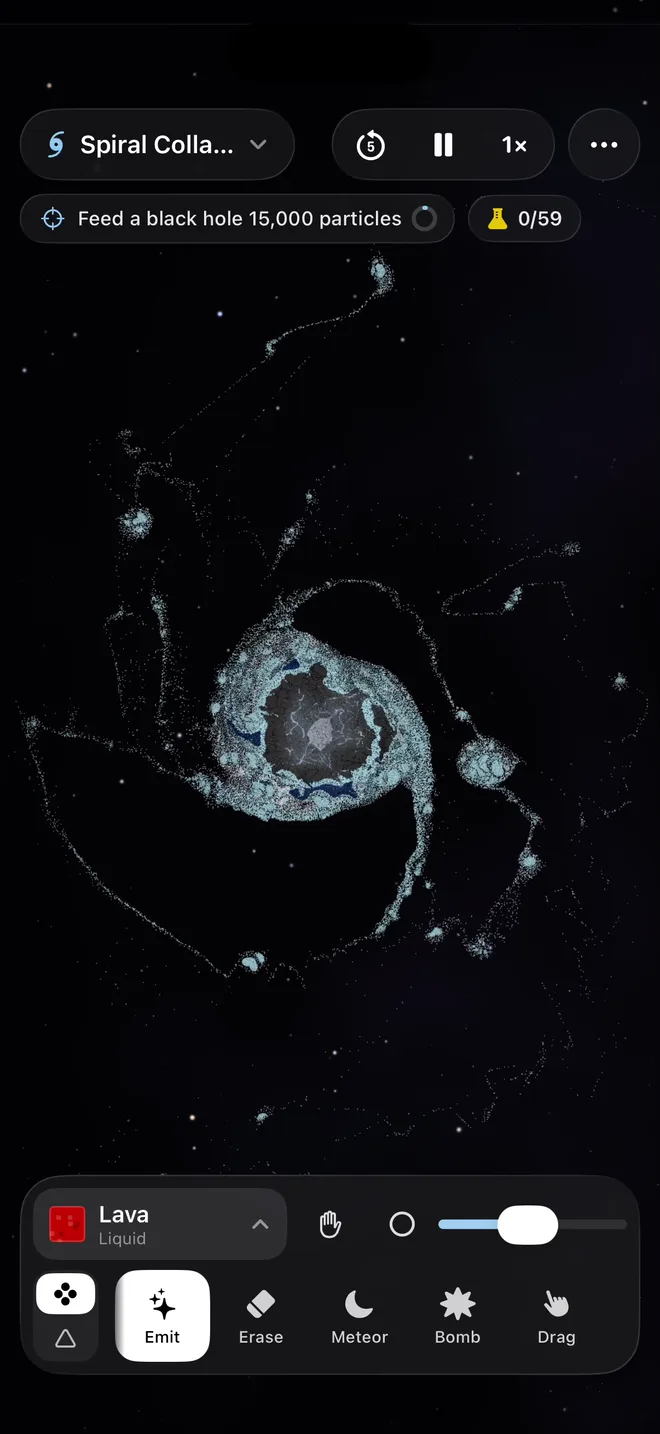
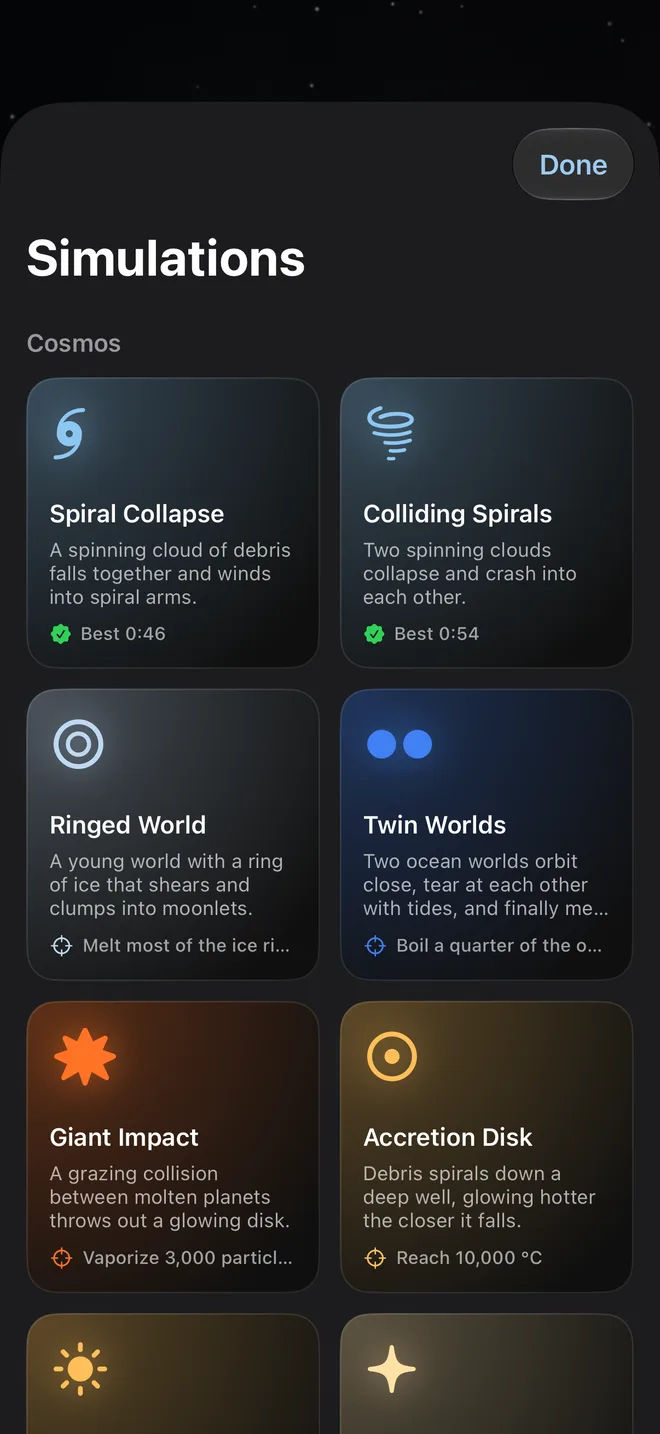
Twenty-two scenes
From a spiral galaxy to a volcano.
Every scene is a world already in motion, with a goal under its name and your best time kept. Or start from empty space and make your own.
Cosmos
Galaxies, stars and black holes.
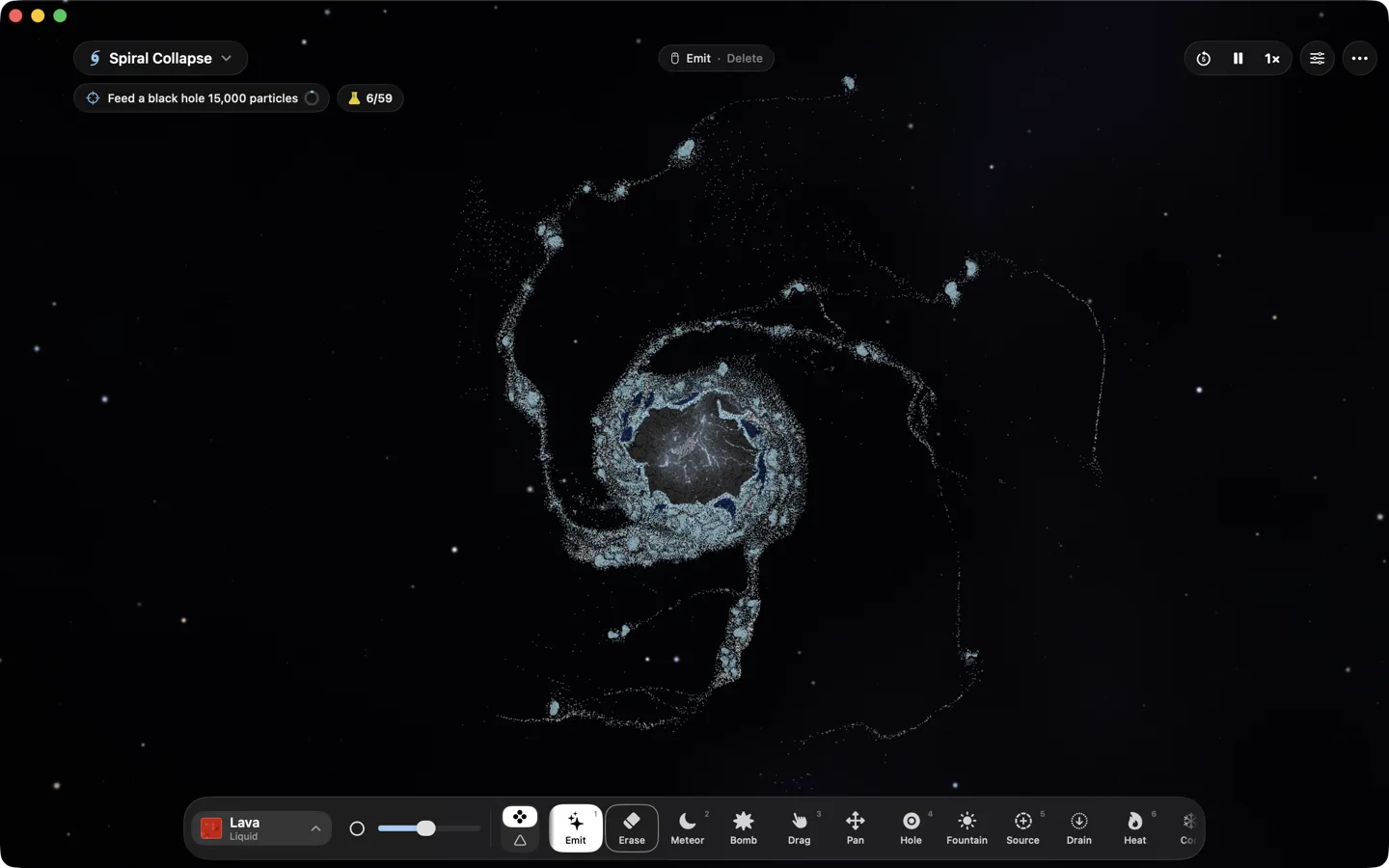
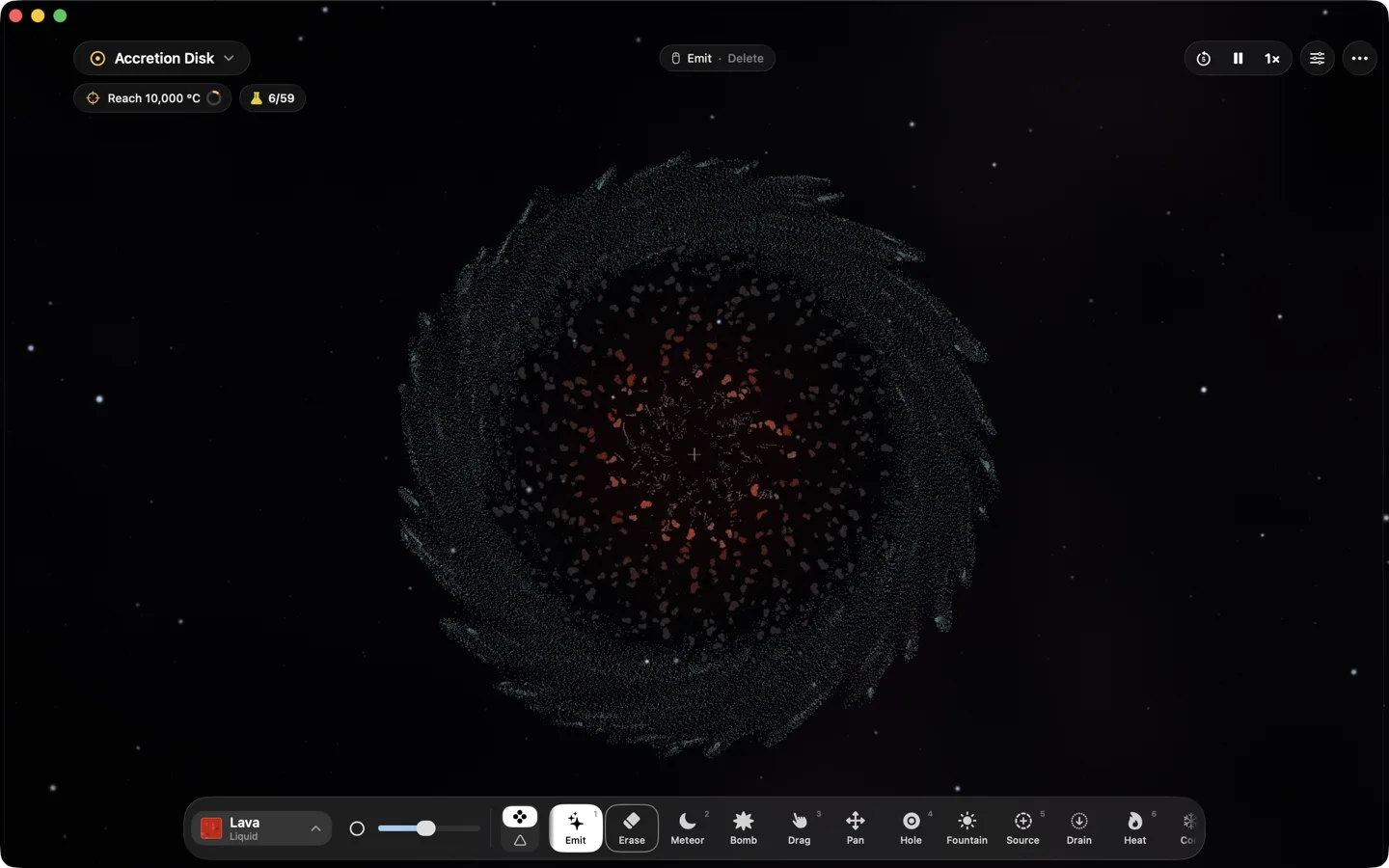
Spiral Collapse · Colliding Spirals · Ringed World · Twin Worlds · Giant Impact · Accretion Disk · Protostar · Supernova · Stellar Nursery · Tidal Disruption
Worlds
Planets you can crash, flood and break.
Planet · Moon Impact · Ocean World · Comet Barrage · Empty Space
Laboratory
Gravity pulling down, and chemistry.
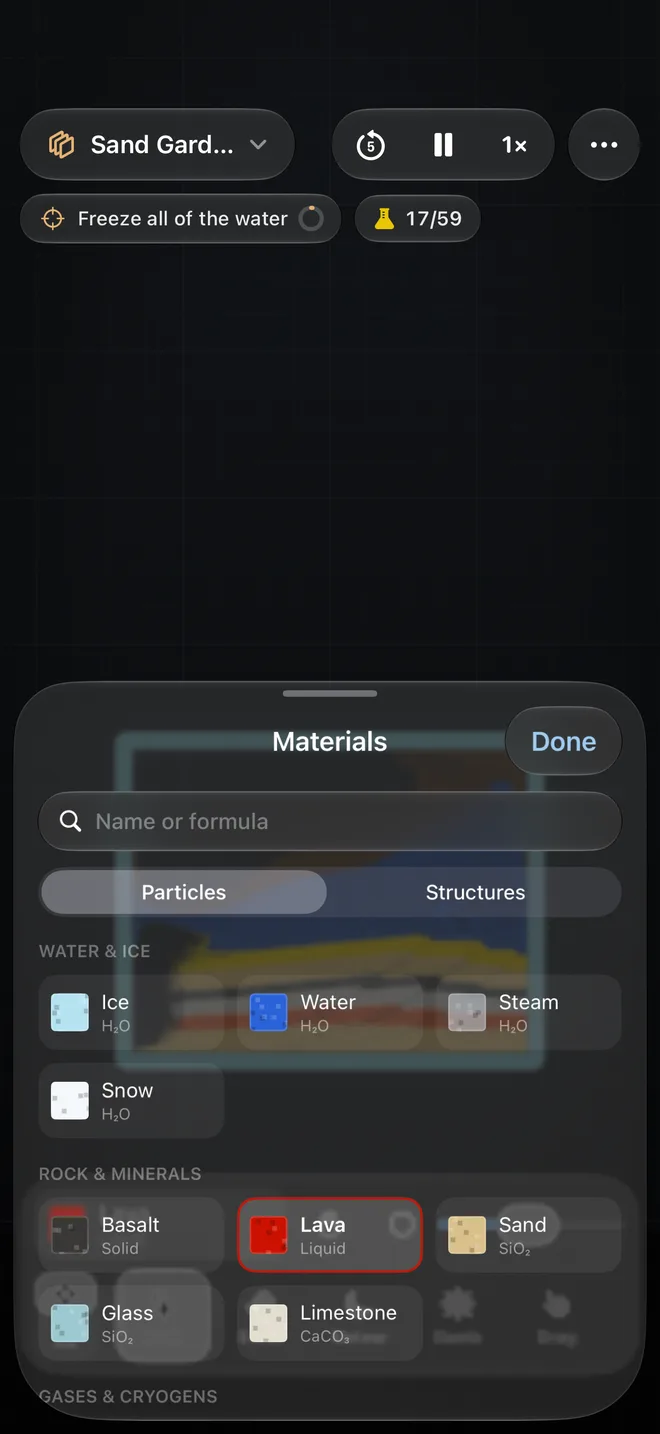
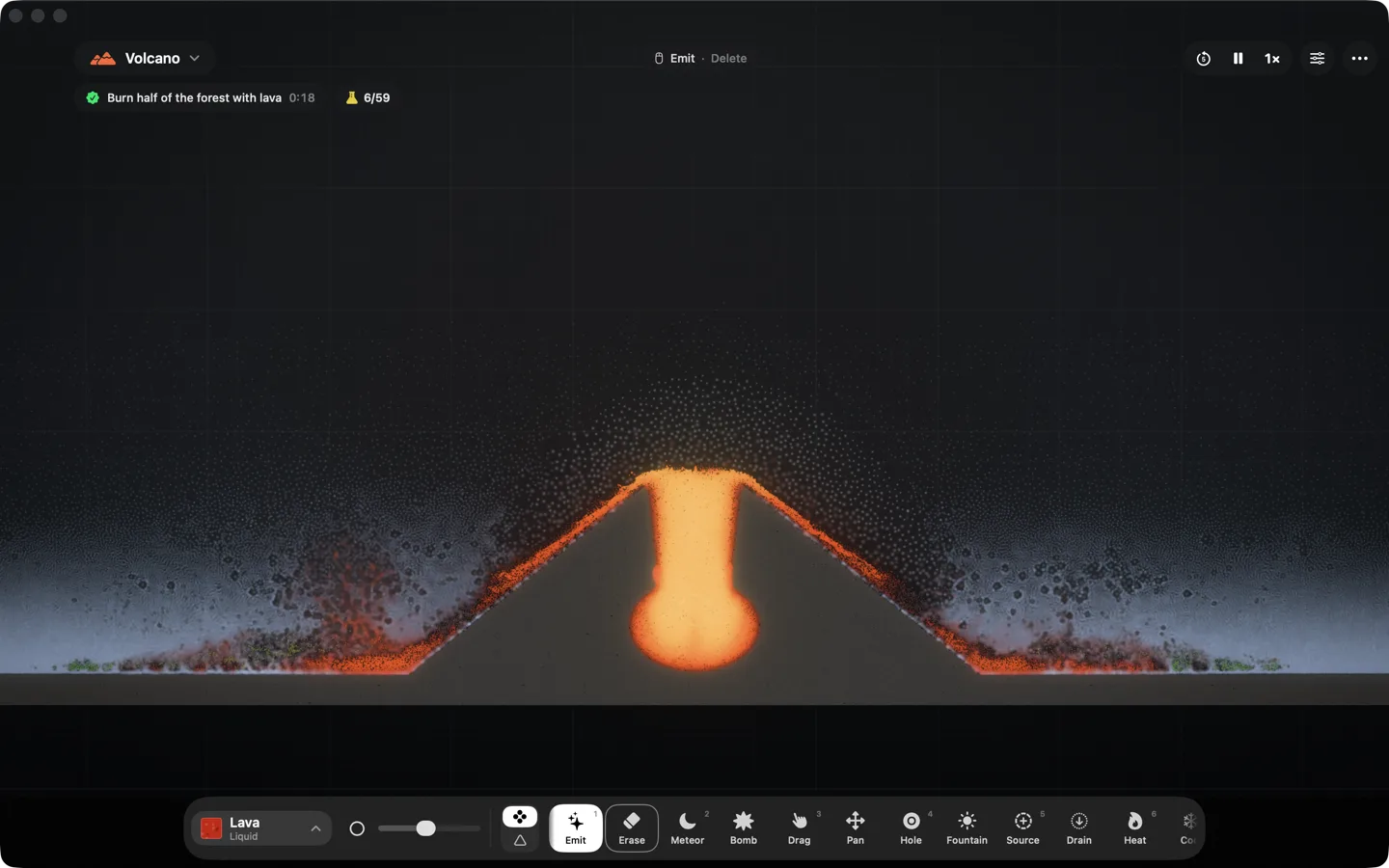
Hourglass · Dam Break · Alkali Rain · Thermite Bridge · Volcano · Sand Garden · Chemistry Lab
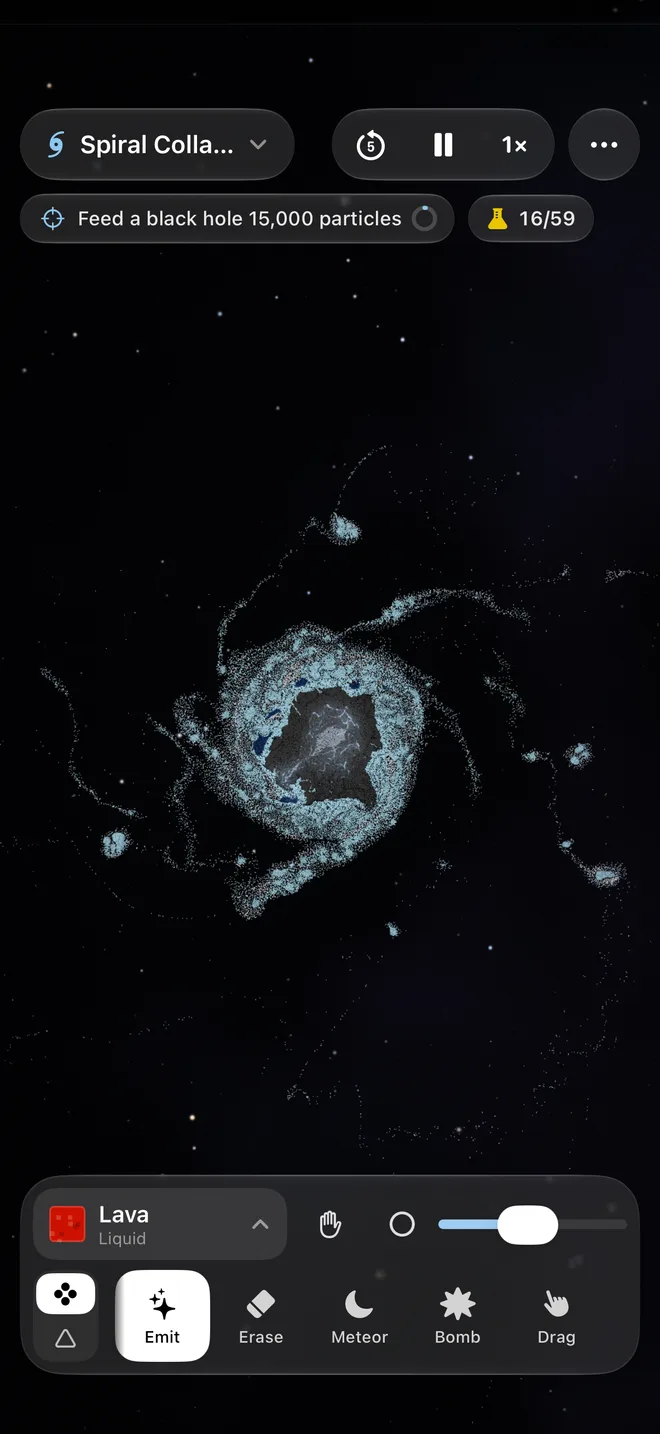
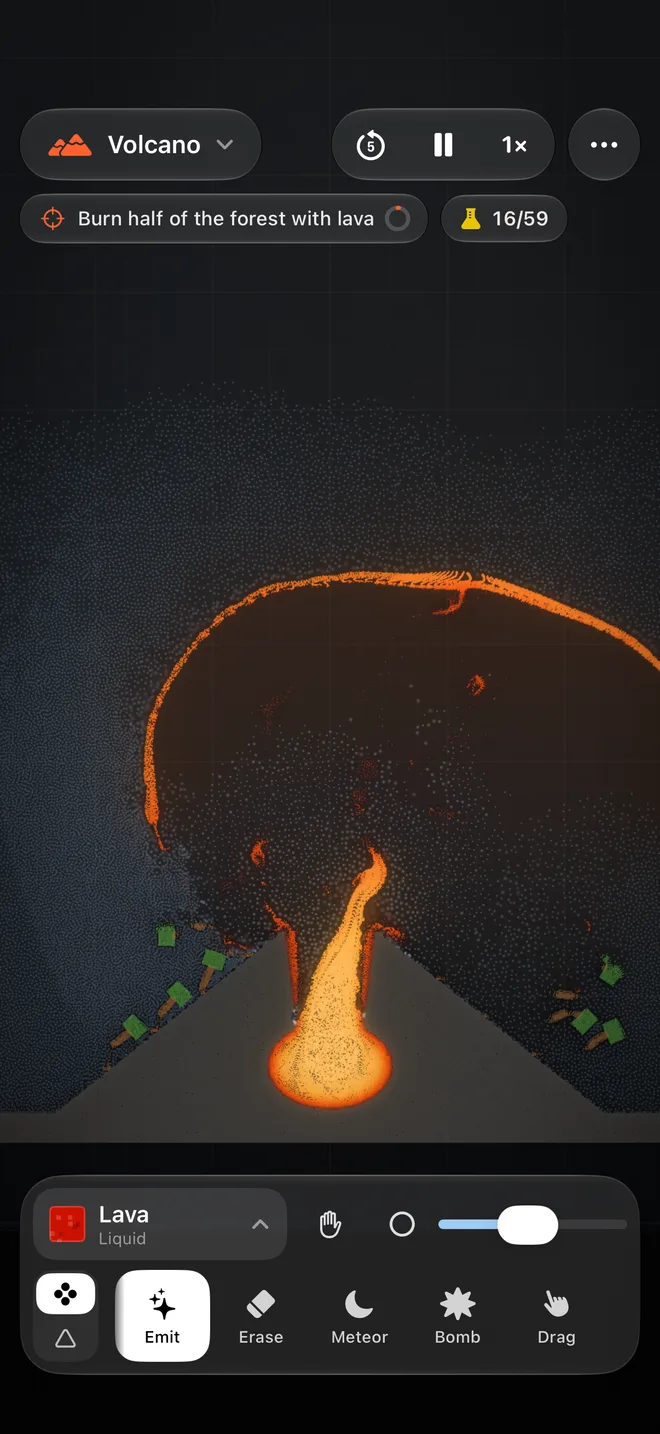
Real physics, grain by grain
Nothing is an animation.
Gravity, heat, pressure, melting and boiling all run at once, on every grain, every frame. What you see is what the physics does.
Everything is a grain
Rock, metal, water, lava, air and stars are all particles in one simulation, up to half a million of them, so anything can hit, melt into or mix with anything else.
Gravity that holds worlds together
Every grain pulls on every other, so clouds collapse into stars and planets keep their shape, or come apart when something big enough hits them.
Heat that flows
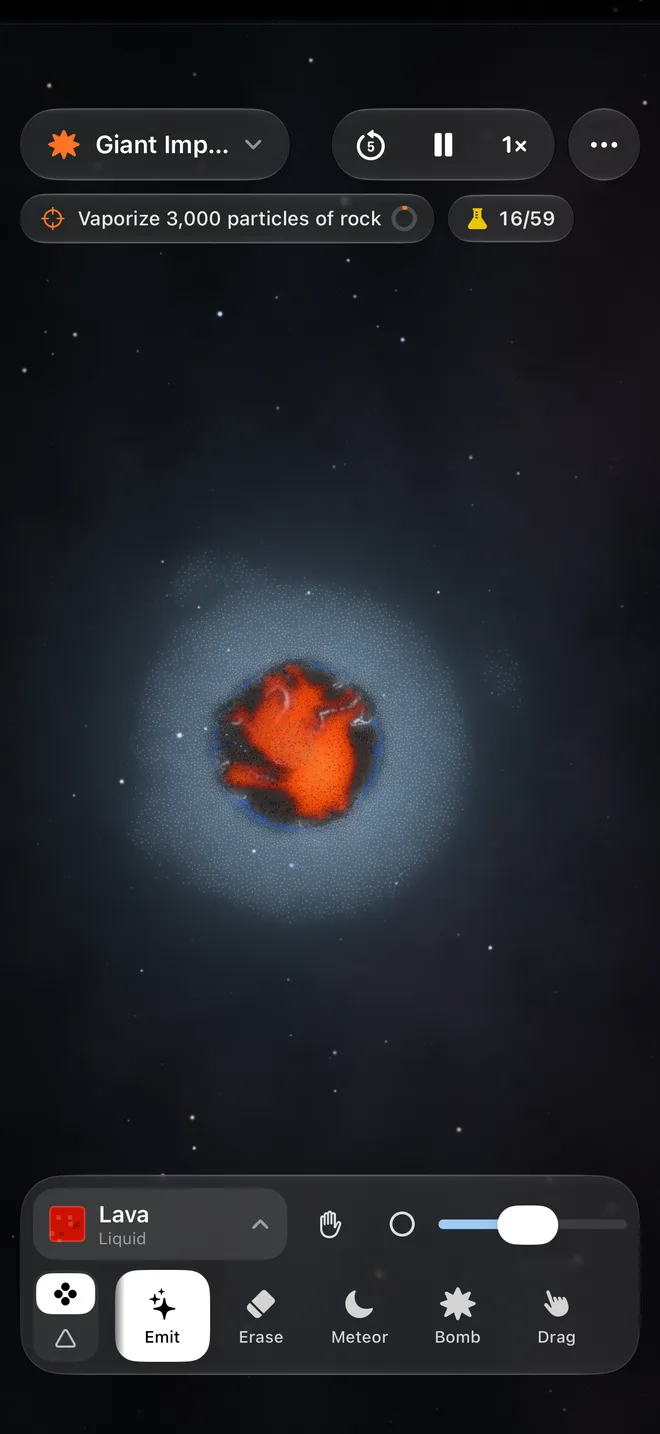
Grains warm each other, glow when they’re hot and radiate into space. Rock melts into lava, lava cools back into rock, and water boils into steam.
Solid, loose, liquid, gas
Solids bend and then crack into rubble, sand piles up, liquids flow and gases spread out, each by its own rules.
83 materials
With real melting and boiling points, densities and heat capacities, from sand and ice to sodium, thermite, hydrogen and iron.
Built for Apple silicon
A continuum physics engine (MLS-MPM) written from scratch in Metal, running entirely on the GPU.
Chemistry to discover
Water boils on lava. Sodium fizzes in it.
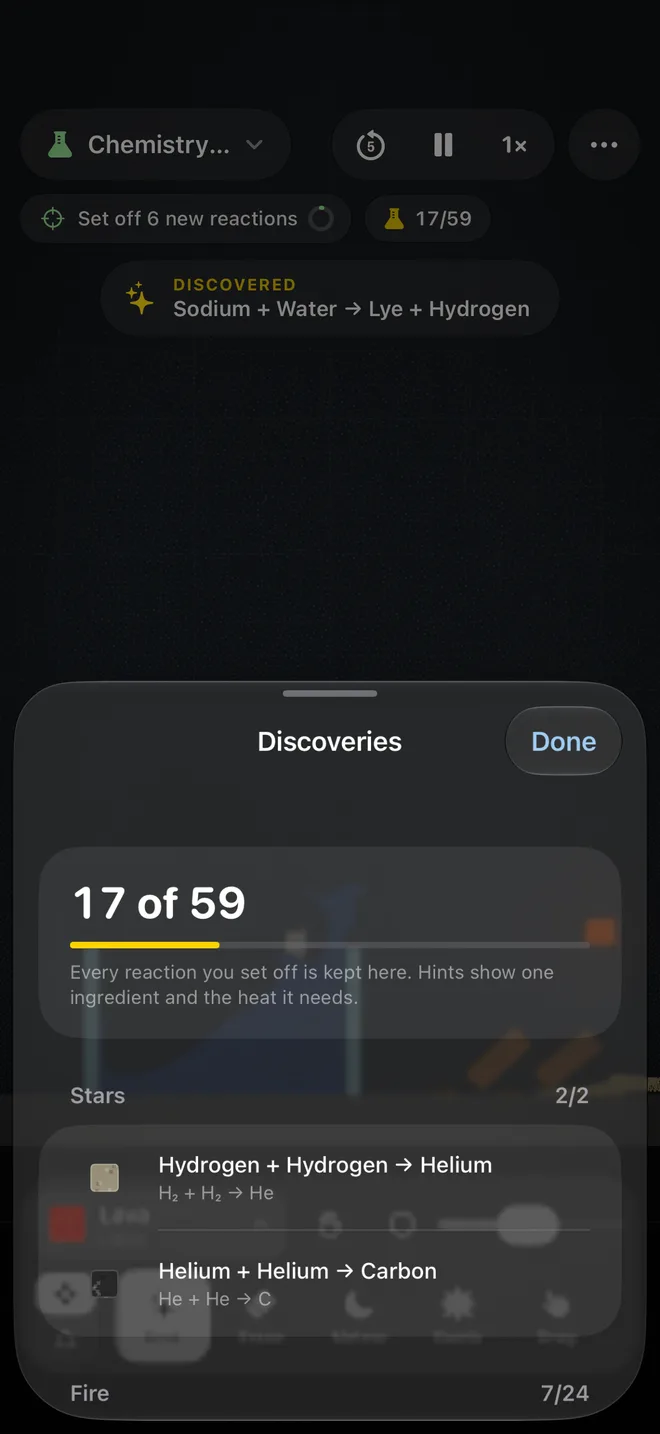
Mix things and see what happens. Every reaction you find the first time goes into your album.
59 reactions
Fire, rust, thermite, alkali metals in water, acids eating through metal, and nuclear fusion inside the stars.
An album to fill
The first time a reaction happens, a note says what you found. The album keeps every one, with a hint for each still missing.
A goal in every scene
From feeding a black hole to boiling a third of an ocean. Tap it for a hint; your best time is kept.
Tools that feel good
Pour it, fling it, heat it, swallow it.
The tools come in pairs: one under your finger, its partner a tap away.
Pour and erase
Pour any material from your finger, or wipe it away.
Meteors and bombs
Pull back and let go to fling a meteor along its dotted path, or set off a blast that leaves a fireball.
Black and white holes
Black holes pull, bend the light behind them and swallow what crosses the horizon; white holes push.
Sources and drains
A source clones the first material that touches it, forever, in the direction you aim it. A drain swallows whatever reaches it.
Heat, cool, attract, spin
Melt a mountain, freeze a sea, gather matter into a ball or set it turning.
Build and copy
Draw beams of steel, glass or concrete with a pencil, line or rectangle, and copy and paste anything you made.
Rewind and slow motion
Go back about five seconds when something goes wrong, or slow time to a half or a quarter to watch it happen.
Tilt to steer gravity
In the lab scenes on iPhone and iPad, tilt the device and sand, water and lava fall the way you lean.
On the Mac
A whole universe in a window.
The same worlds, drawn across the big screen, with the mouse, the trackpad and the keyboard.
Two tools under your hands
The left button uses the tool you picked, the right button its partner: emit and erase, meteor and bomb, heat and cool.
Made for the trackpad
Pinch to zoom, scroll with two fingers to travel across the world.
Any window, any size
The world always fills the window, from a corner of the desktop to full screen.
One purchase, every device
Grainverse Complete unlocks everything on iPhone, iPad and Mac with the same Apple Account.
At your fingertips
- Pick a tool pair
- 1–0
- Pause
- Space
- Rewind five seconds
- R
- Normal, half or quarter speed
- T
- Brush size
- +–−
- Zoom
- Q–E
- All the scenes
- ⌘O
Free to try
Play first. Unlock everything once.
The download is free and stays free. One purchase opens the rest, on every device you own, with no subscription and no ads.
Free to download
- Seven scenes: Spiral Collapse, Planet, Protostar, Hourglass, Volcano, Sand Garden and Empty Space
- The everyday tools: pour, erase, meteor, bomb, drag, heat, cool, attract, repel and spin
- 24 everyday and astronomical materials
- Goals, discoveries, tilt, sound and haptics
Grainverse Complete
One purchase, everything below
- The other 15 scenes
- All 83 materials
- Black and white holes, sources and drains
- Structures, copy and paste, anchors and the follow camera
- Rewind, slow motion and clips
Made to play with
You can hear it and feel it.
Sound made as you play
A drone, a rumble that follows the motion, crackle for reactions, a rush while black holes feed and thuds when things hit, all synthesized live.
Felt in your hand
On iPhone, haptics on impacts, launches and blasts.
Keep the last fifteen seconds
Turn on clips and, when something spectacular happens, save what just happened and share it.
Privacy
What you make stays with you.
No servers, no accounts, no tracking. Grainverse runs entirely on your device.
Only on your device
Grainverse makes no network requests of its own. Your discoveries, best times and settings stay on your iPhone, iPad or Mac.
No account
Nothing to sign up for. No analytics, no tracking.
No ads, no subscription
One purchase unlocks everything, once, and nothing interrupts the game.
The details are in the privacy policy.
Questions
When can I get it?
It’s coming to the App Store for iPhone, iPad and Mac. Follow us on Instagram with the button and you’ll hear the day it’s out.
Is it free?
The download is free, with seven scenes, the everyday tools and 24 materials. One purchase, Grainverse Complete, unlocks the other 15 scenes, every material and tool, rewind, slow motion and clips. No subscription and no ads.
Which devices does it run on?
iPhone and iPad with iOS 26 and an A14 chip or later (iPhone 12 or newer, iPhone SE from the third generation), and Mac with macOS 26 and Apple silicon. The simulation needs those chips’ graphics; older devices show a note instead of the game.
Do I have to buy it again on my Mac?
No. Grainverse Complete unlocks iPhone, iPad and Mac with the same Apple Account. On a new device, tap Restore Purchases in Settings.
Is it a game?
A sandbox first: there is no way to lose. Every scene has a goal and keeps your best time, and the album fills as you discover reactions, but you can also just pour lava on things.
Does it need the internet?
No. Everything happens on your device, so it works the same on a plane. Only the purchase goes through the App Store.
Which languages?
English.
Where do I get help?
The support page answers the common questions, and you can write to hello@siux.co.
More answers on the support page.
Every grain, all at once.
Grainverse is coming to iPhone, iPad and Mac. Follow us and you’ll hear the day it’s out.
Made in Buenos Aires by SIUX.