 Photo cleaner for iPhone
Your camera roll,
one swipe at a time.
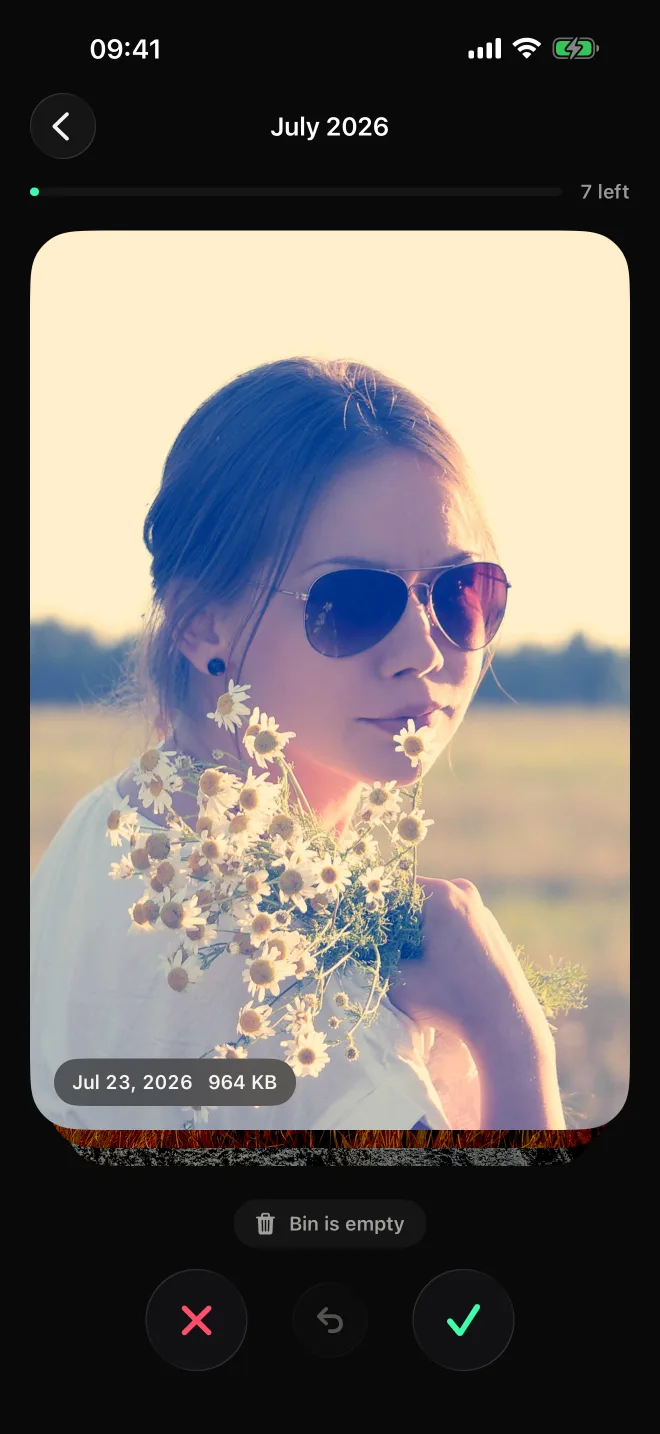
Swipe left to toss, right to keep. Go month by month, see what each one weighs, and free up gigabytes in a coffee break.
Free for 50 a day. $4.99 once for unlimited, no subscription.
Try it
Left to toss. Right to keep.
That’s the whole app. Drag a card, or use the buttons or your arrow keys. Nothing here touches your photos.

 Jul 2024 · 4.1 MB
Bin is empty
How it works
A month at a time, until it’s done.
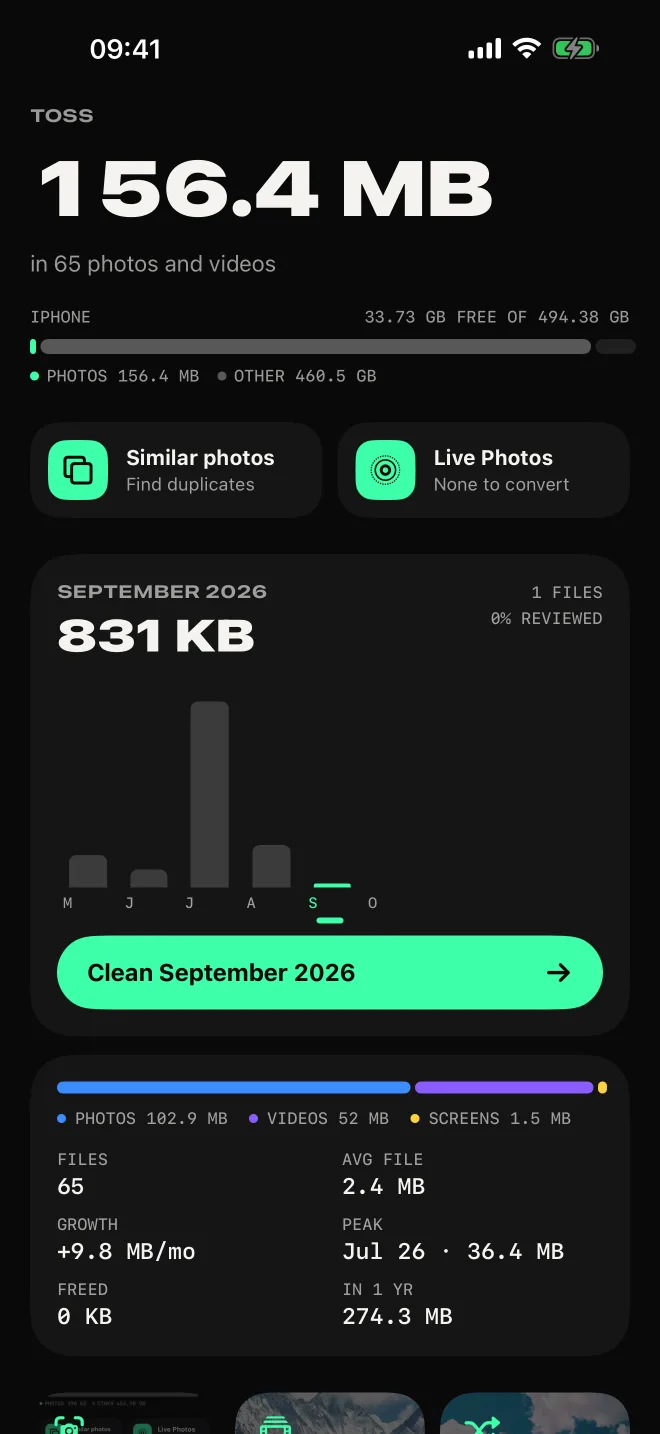
A library of thousands is too much to face at once. A month of it takes two minutes, and Toss shows you which months are worth it.
- 1
Pick a month
Every month has a bar the size of what it weighs. Slide through time and start with the heaviest.
- 2
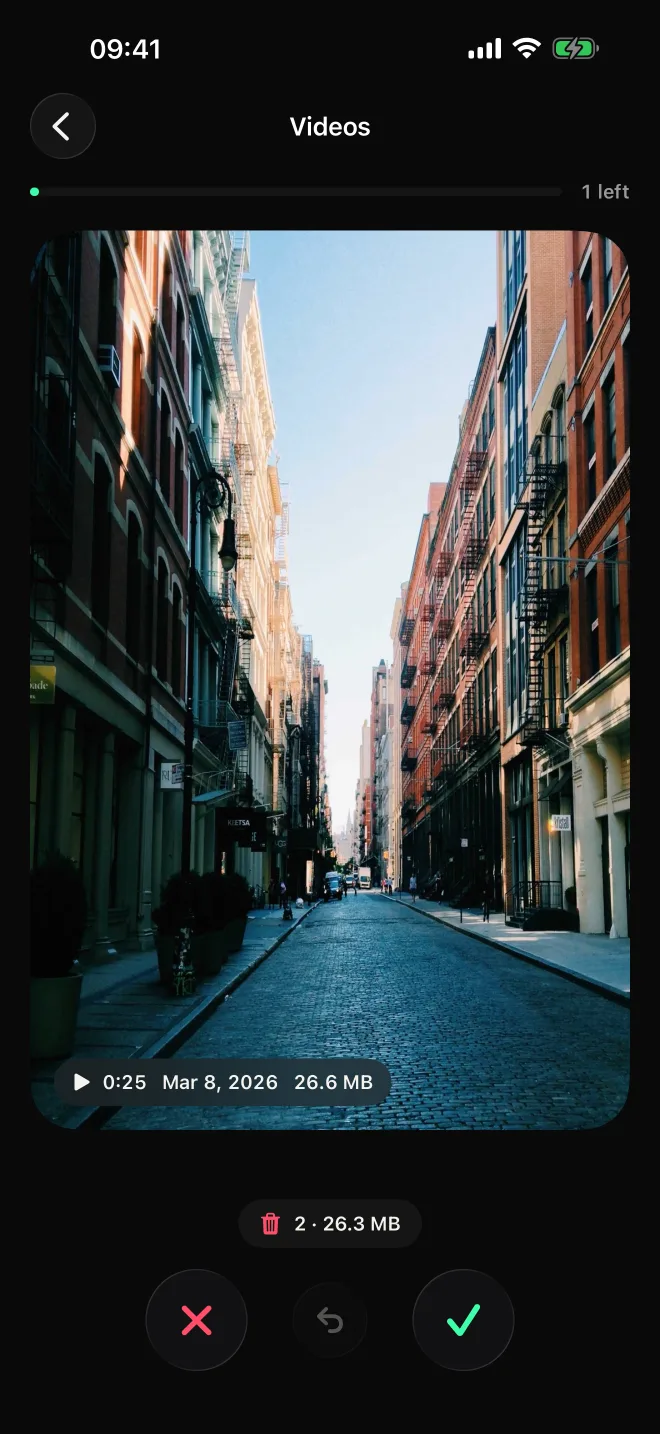
Swipe
Left to toss, right to keep. Tap a card to see the whole photo, or let a video play before you decide.
- 3
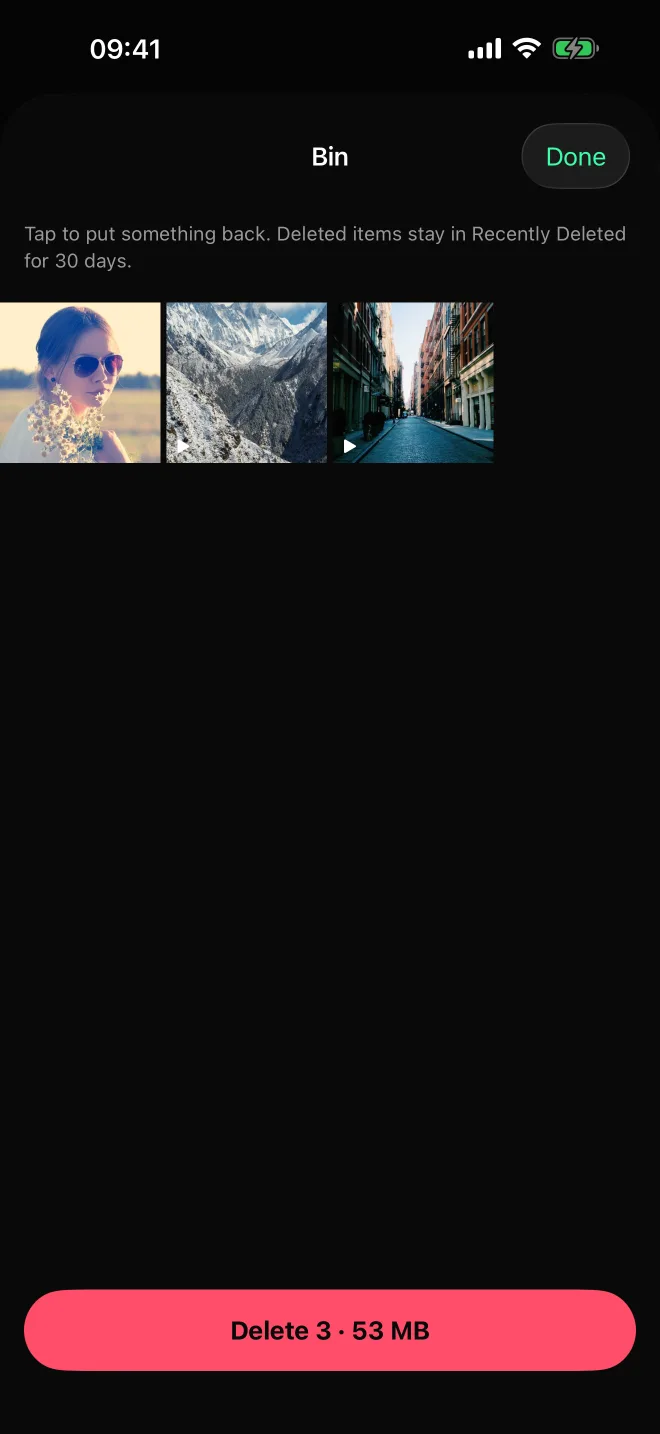
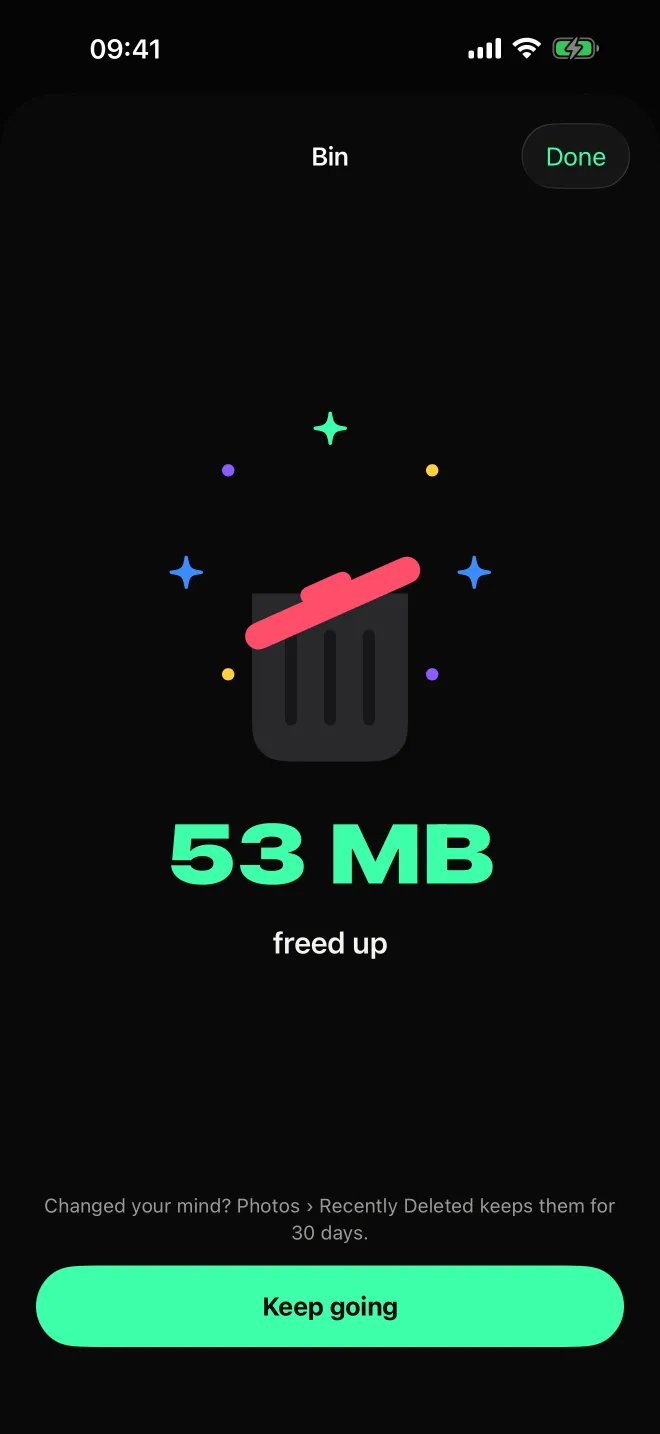
Free it up
Everything you tossed waits in the bin. Check it, put anything back, and delete it all with one confirmation.
More than swiping
Find where the space went.
Most of a full iPhone is a few heavy months, a pile of screenshots, long videos and the same shot ten times. Toss goes straight to them.
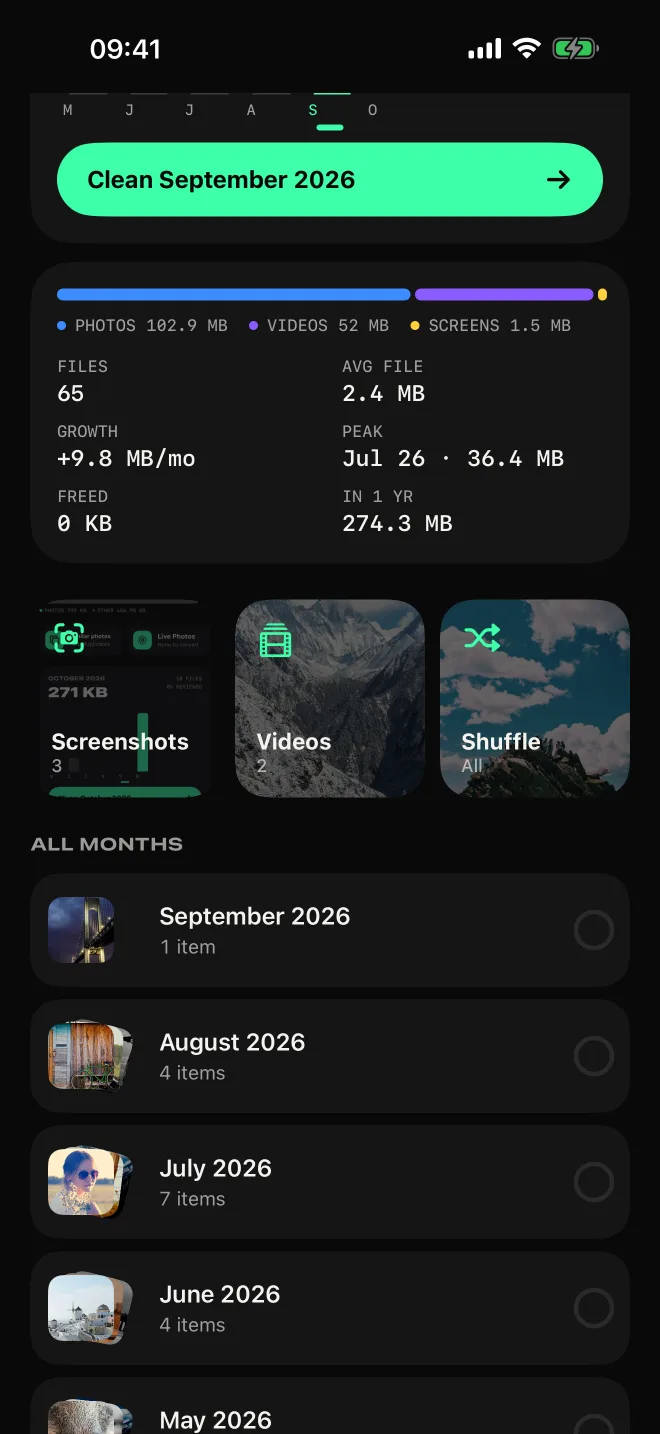
A storage timeline
What each month weighs, how fast your library grows, your heaviest month and where you’ll be in a year.
Duplicates and near-duplicates
The same photo saved twice and the ten shots of the same sunset, grouped. The best one is already picked to keep.
Live Photos to stills
Every Live Photo carries a short video. Keep the photo, with its date, place and favorite, and drop the video.
Screenshots and videos first
Jump straight to your screenshots or your biggest videos, where most of the space hides. Or shuffle everything.
Undo, always
Swiped too fast? Undo brings the card back. Nothing is deleted until you empty the bin.
Pick up where you left off
Toss remembers what you’ve reviewed, so each month fills up until it’s done.
Price
Pay once. Not every week.
The photo cleaners at the top of the App Store charge about $9.99 a week after a three-day trial. Toss costs less than one of those weeks, once.
Toss Unlimited
$4.99
Once. Yours for good, on all your devices and with your family.
Or keep it free: 50 deletions a day, every day, with every tool included.
| What | Toss | Weekly cleaners |
|---|---|---|
| Price | $4.99, once | About $9.99 a week |
| A year of it | $4.99 | About $520 |
| Free | 50 deletions a day, every day | A 3-day trial |
| Deleting | You see every item, and can put any back | One-tap “smart clean” |
Privacy
Your photos stay yours.
A photo cleaner sees everything you’ve ever shot. Toss looks at it on your iPhone and nowhere else.
On your iPhone
Duplicates are found with Apple’s on-device vision. No photo, thumbnail or count ever leaves your phone.
No account
Nothing to sign up for. No analytics, no ads, no tracking.
A safety net
Deleted items go to Photos’ Recently Deleted, where you can recover them for 30 days.
The details are in the privacy policy.
Questions
How much does it cost?
Toss is free for 50 deletions a day. One $4.99 purchase unlocks it for good: no subscription, no trial that turns into one. It’s shared with your family through Family Sharing.
Which iPhones does it work on?
Any iPhone with iOS 18 or later. On iOS 26 it uses the new Liquid Glass look.
Do my photos leave my phone?
No. Toss reads your library on your iPhone and finds duplicates with Apple’s on-device vision. It has no servers and no account.
What if I toss something by mistake?
Undo brings back the last card. Everything you toss waits in the bin until you delete it, and you can put anything back. After that, Photos keeps it in Recently Deleted for 30 days.
Does it work with iCloud Photos?
Yes. Toss works on the same library as the Photos app, so deleting here deletes on every device signed in to your iCloud.
Can it clean other apps’ data or caches?
No, and no iPhone app can: iOS keeps every app’s data to itself. Toss cleans what’s yours to clean, your photos and videos, which is usually most of the space.
What’s taking up your space?
Open Toss, pick your heaviest month and start swiping. Toss, for iPhone.
Made in Buenos Aires by SIUX.