 A meditation garden, free
Plant a seed.
Breathe.
Plant a seed in raked sand and watch it grow in real time, under a sky that turns from dawn to night. No goals, no scores, nothing to win. A quiet place to breathe.
Free, coming soon to the App Store. iPhone and iPad with iOS 26, Mac with macOS 26.
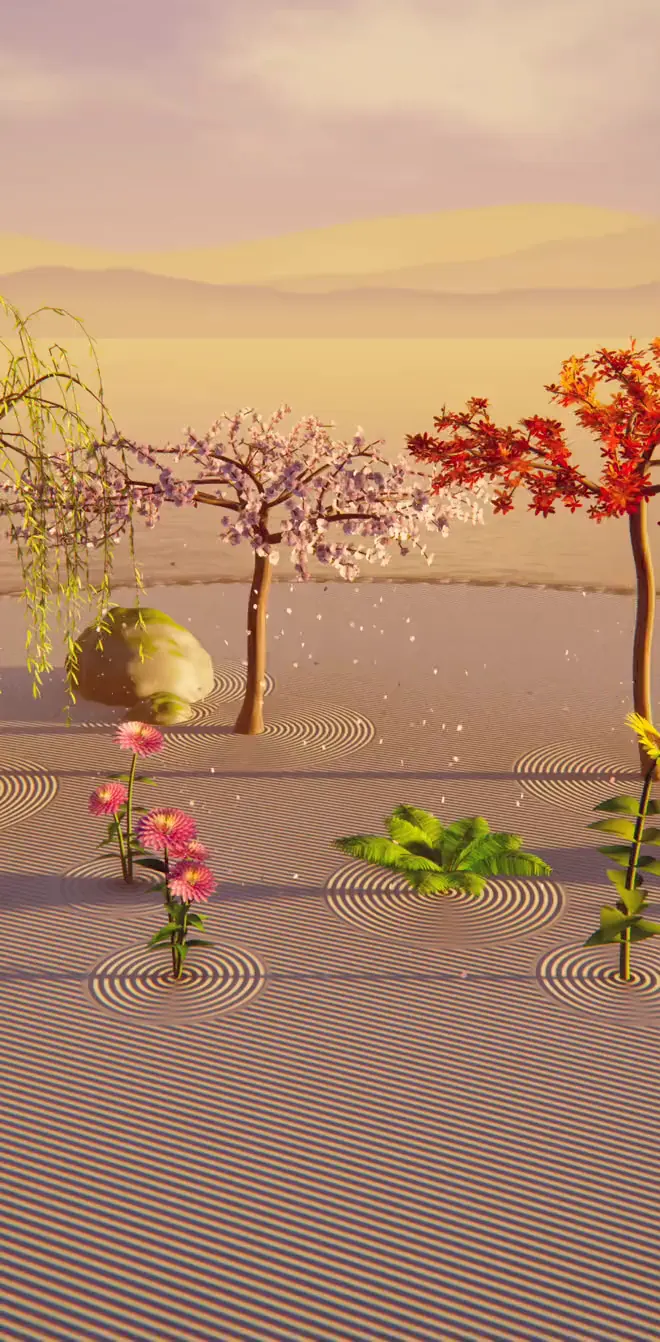
Six species
Every plant grows in front of you.
Branches reach for the light, ferns unroll, petals open on the golden angle and sunflowers turn to follow the sun. No two specimens are alike, and each gets a Latin name of its own.
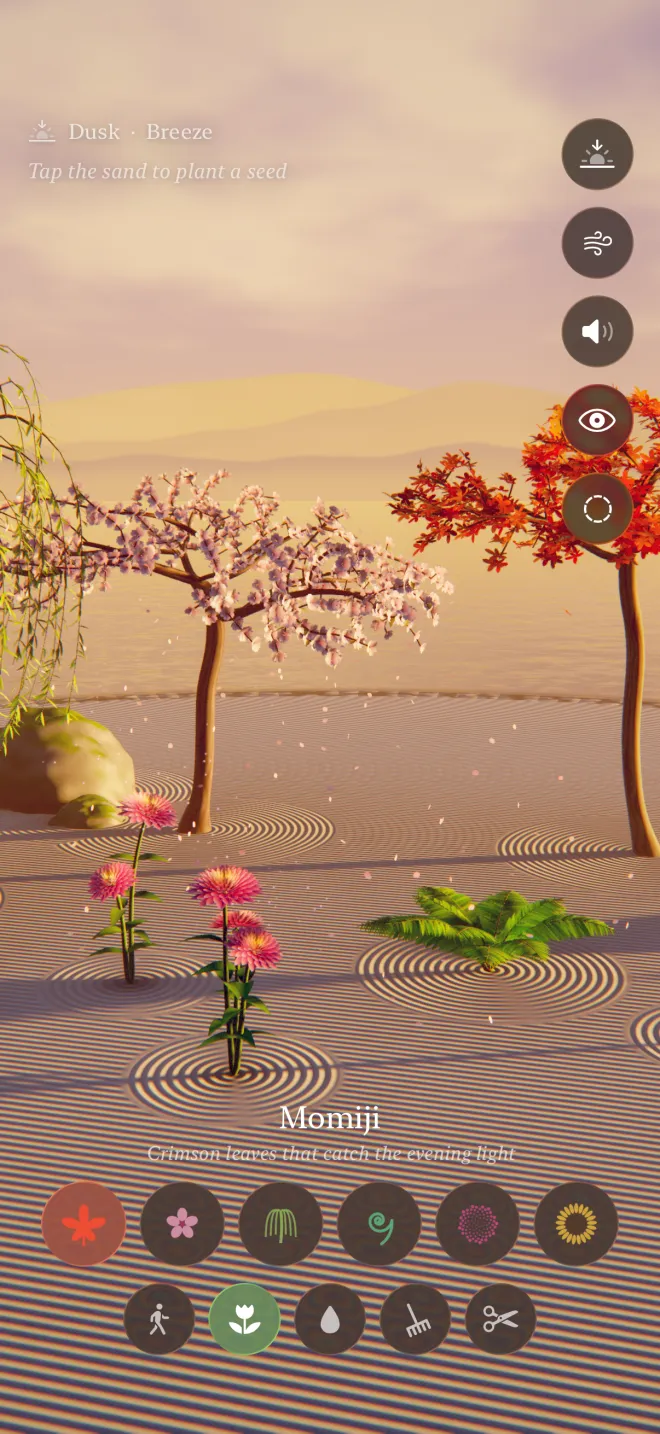
Momiji
Crimson leaves that catch the evening light.
In its prime in about 80 seconds
Sakura
A cloud of blossoms, gone with the wind.
In its prime in about 80 seconds
Weeping Willow
Long green rain that sways with every breath.
In its prime in about 95 seconds
Fern
Fiddleheads unrolling their ancient spiral.
In its prime in about 40 seconds
Dahlia
Petals arranged by the golden angle.
In its prime in about 50 seconds
Sunflower
A spiral of seeds that follows the sun.
In its prime in about 62 seconds
Five tools
Wander, plant, water, rake, let go.
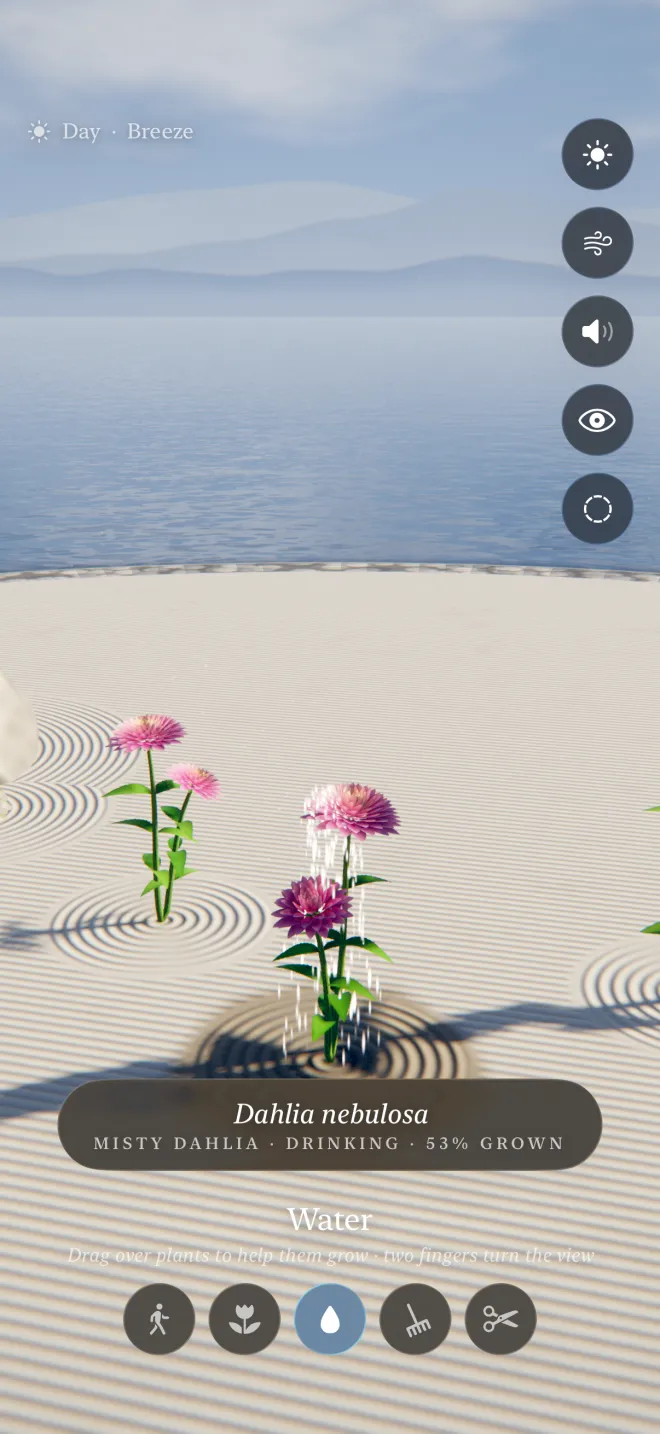
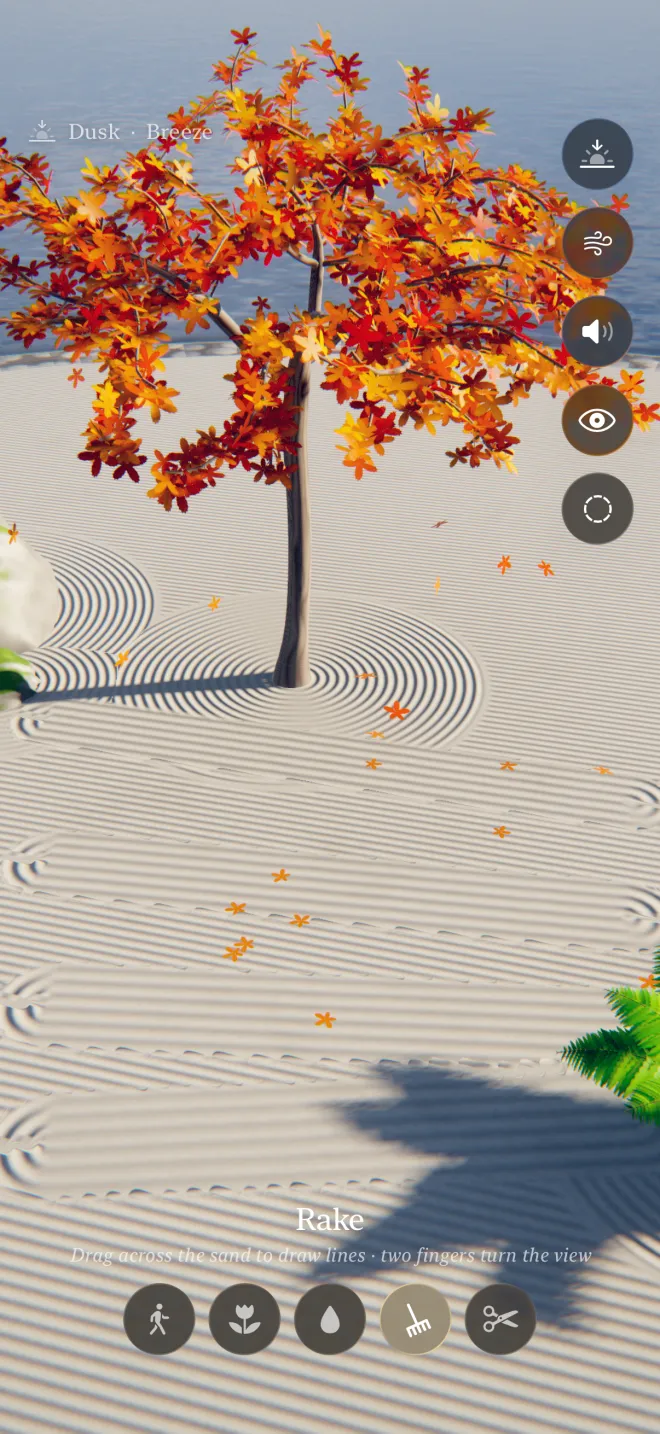
A row of tools at the bottom of the screen. One finger works the sand; two fingers turn the view.
Explore
Wander without changing a thing. Drag to look around, tap any spot to walk there, or tap a plant to go up close and hear its name.
Plant
Pick a species and tap the sand. A ring ripples out, a sprout appears, and it keeps growing while you watch.
Water
Drag the watering can over a plant and it grows up to six times faster for a while. The sand darkens, then slowly dries.
Rake
Draw your own lines in the sand. The grooves follow your finger and bend around every corner.
Shears
Tap a plant to return it to the sand and make room for something new.
A day in minutes
From dawn to night, and again.
The sun crosses the sky while you watch, lingers in the golden hours and hands over to the moon. Or tap the sun button to jump to the hour you want.



On the Mac
A window onto the garden.
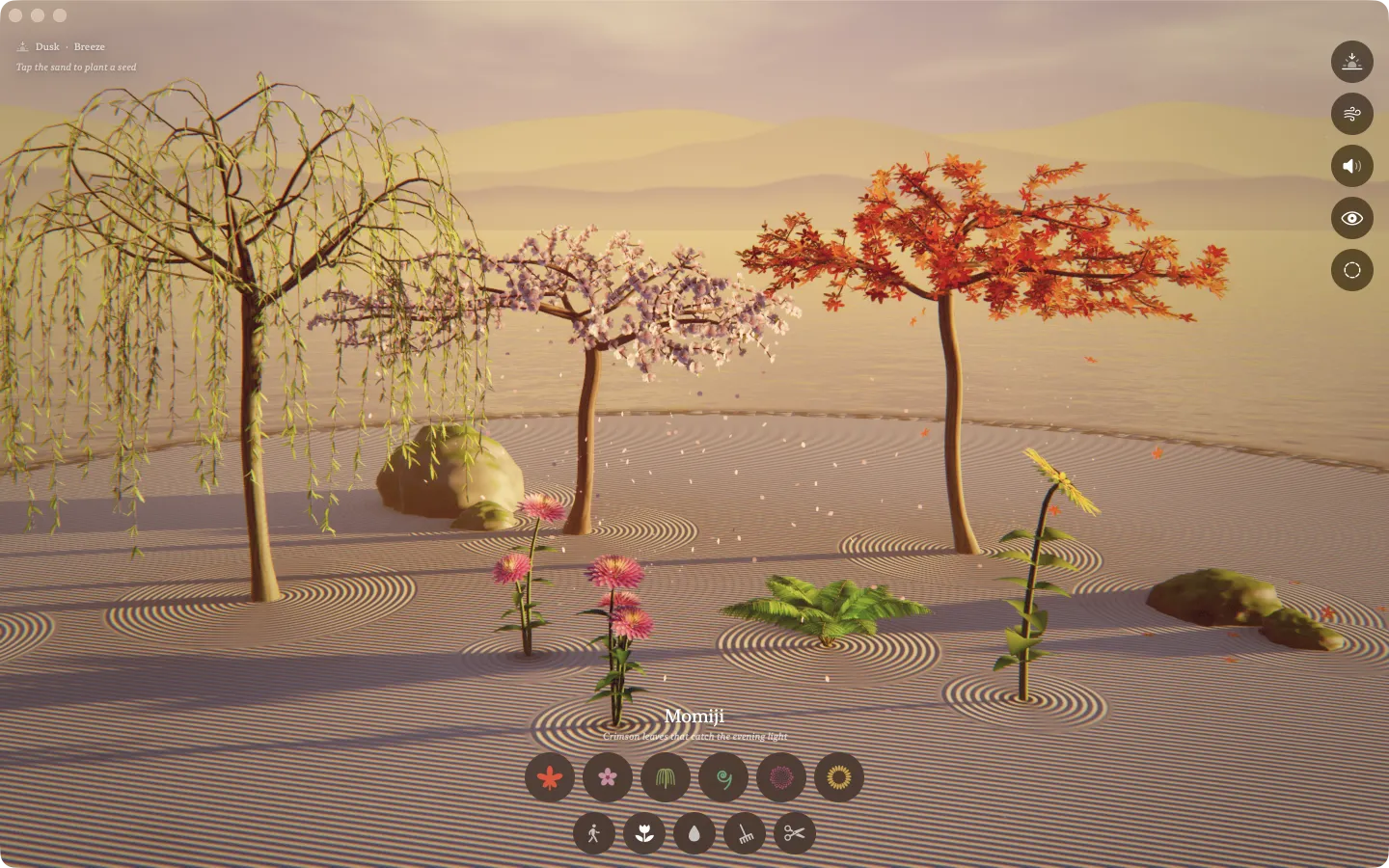
The same garden on the Mac, drawn for the big screen. Leave it open beside your work, or let it take over the whole display.
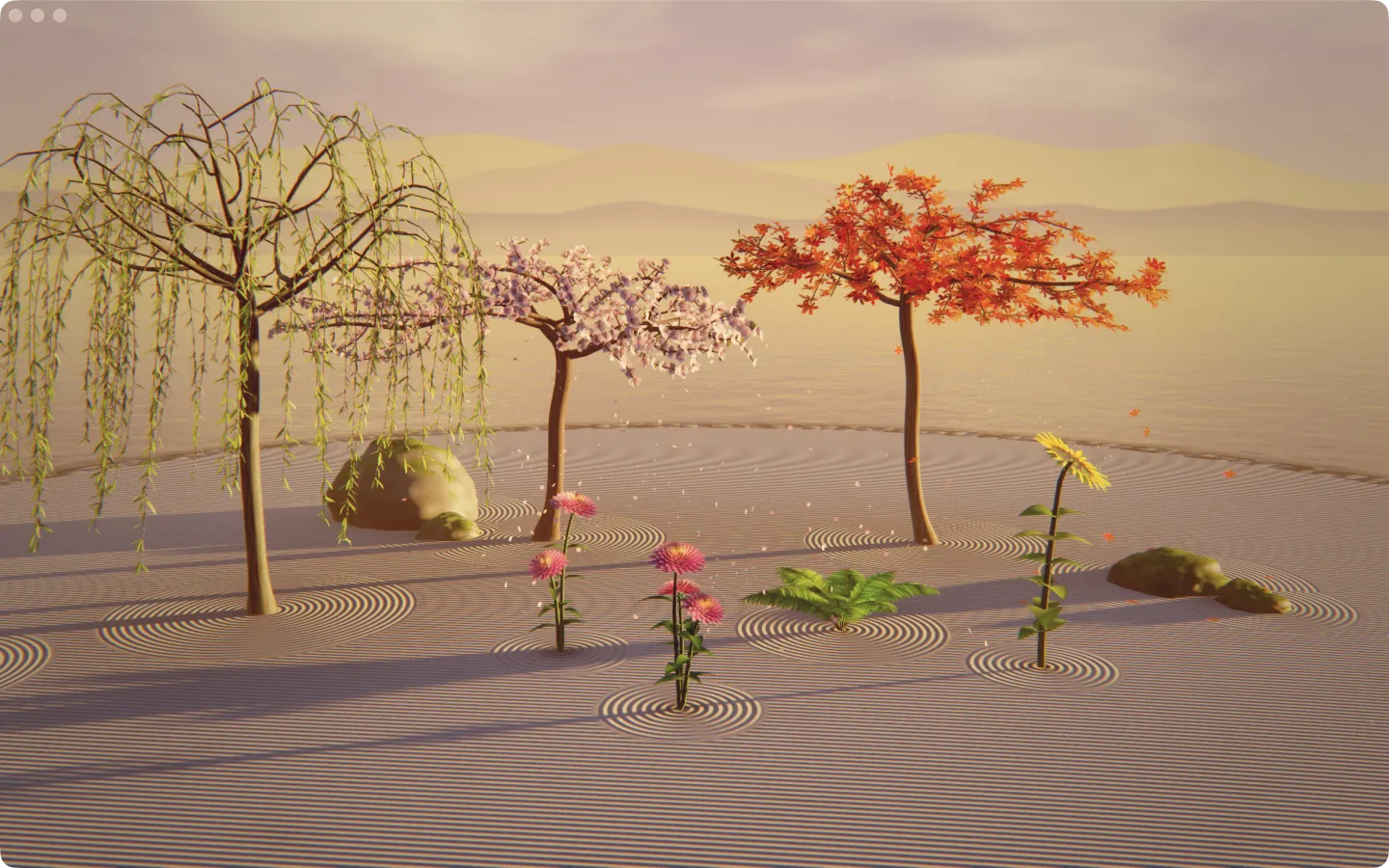
Any window, any size
Keep it small in a corner while you work, or go full screen and let the garden fill the room.
Up to 120 frames a second
On a ProMotion display, the leaves, petals and fireflies move as smoothly as the screen allows.
Made for the trackpad
Click the sand to plant, scroll with two fingers to walk around the garden, pinch to come closer.
And for the mouse
Drag to turn, use the wheel to zoom. While raking or watering, right-drag or ⌥-drag turns the view.
At your fingertips
- Choose a species
- 1–6
- Switch tools
- Tab
- Next time of day
- T
- Still air, breeze or gale
- W
- Sound on or off
- M
- Contemplate
- Space
- Come back
- Esc
- Clear the garden, after asking
- ⌘⌫
Made to slow down
Nothing to win. Somewhere to be.
Zen Garden asks nothing of you. Put it on while you breathe, read or fall asleep, and let it keep growing.
Sound that never repeats
A slow pad that drifts between chords, wind in the branches, a soft bell for every seed and bloom, and crickets after dark. Generated as you listen.
Contemplation mode
Hide everything and let the camera drift around the garden on its own. Tap anywhere to come back.
Touch a plant
It shivers, chimes, and tells you its name: every specimen is unique and gets a Latin name of its own.
It tends itself
Leave it alone for a while and mature plants scatter seeds nearby. The garden keeps living without you.
Wind and time
Choose still air, a breeze or a gale, and move to dawn, day, dusk or night whenever you like.
Always where you left it
Your garden, your raked lines and the time of day are saved on your device and waiting next time.
Privacy
Your garden stays with you.
No servers, no accounts, no network at all. Zen Garden runs entirely on your device.
Only on your device
Zen Garden makes no network requests. Your garden never leaves your iPhone, iPad or Mac.
No account
Nothing to sign up for. No analytics, no tracking.
Free, and quiet
No ads, no purchases, no notifications asking you to come back.
The details are in the privacy policy.
Questions
Is it really free?
Yes. Zen Garden is free, with no ads and no in-app purchases.
When can I get it?
It’s coming to the App Store for iPhone, iPad and Mac. Send us an email with the button and we’ll write back the day it’s out.
Which devices does it run on?
iPhone and iPad with iOS 26 or later, and Mac with macOS 26 or later.
Is it a game?
Not really. There are no goals, scores or timers. It’s a place to slow down: plant something, rake a line, watch the light change, or just leave it on and listen.
How long does a plant take to grow?
A fern reaches its prime in about forty seconds; a tree takes a minute and a half. Watering makes any of them grow up to six times faster for a while.
How many plants can the garden hold?
Up to 22. When it’s full, the eldest plant gently returns to the sand to make room. You can also use the shears.
Does it need the internet?
No. Everything happens on your device, so it works the same on a plane or in the middle of nowhere.
Can I turn the sound off?
Yes, with the speaker button. It also plays along with your own music instead of stopping it.
A small garden, always in bloom.
Zen Garden is free, for iPhone, iPad and Mac. Send us a line and we’ll tell you the day it opens.
Made in Buenos Aires by SIUX.